Do More with Less: How To Utilise Microinteractions

Catching and holding focus online is an ever-increasing challenge for website owners, developers, and users. With an unending stream of digital touchpoints to choose from, it’s easy for just one site to become lost in the crowd. 

So, every design choice counts and can mean the difference between being forgotten or becoming the solution. 

This article takes a closer look at microinteractions – the small but mighty design features and animations that bridge the gap between human intent and digital execution.

TLDR: Engaging UI/UX design elements make your website more appealing, more memorable, and lead to more frequent conversions.


Understanding Great Web Design

Most of us are familiar with websites and have spent enough time online to know the frustration of struggling with a clunky, poorly designed site. For example, you click a button, you wait…and wait…and just as you’re about to check the internet connection, the page jolts into place. This break in the flow of your online experience causes irritation, erodes trust, and typically discourages you from returning to that website.

Microinteractions are the secret sauce for successful web design, assisting users to intuitively progress through their site exploration. You can see your progress through a process, receive confirmation of an action you’ve taken, and be guided to an end point with subtle cues.

While colours and shapes are often the building blocks of a digital layout, tiny and carefully considered details can often lift as much weight as flashier, more obvious elements. An effective design feature answers the constant question we ask ourselves online: ‘How can I tell if this is actually working?

Bringing The Screen To Life

At the simplest level, microinteractions are visual responses to a single action taken by a digital user. Think of the physical On-Off switch – it’s universally recognised, understood, and implicitly offers reassurance. The online equivalent is just as valuable and necessary to improving the quality of any user interface (UI).

Some familiar examples are the heart you see when you ‘like’ a post on Instagram, the spinning rainbow wheel on a Mac computer, and the swipe-to-match feature pioneered by dating apps. Without them, user experience (UX) feels flat, static, and lifeless. 

For example, hover over these buttons and see what they do:

ContactLearnExplore

There are thousands of examples of clever UX microinteractions, plenty of which you may not have noticed or paused to analyse. This is the magic of premium web design, so seamless that it feels natural and alive.

Deconstructing Functional Web Design

For a deeper understanding of how UI and UX operate, let’s take a look under the hood. Web designers have focused on the intersection between mechanical function and human psychology for decades. 

There’s more than meets the eye when it comes to microinteractions, so let’s focus on a few key components:

  1. Trigger: This is what kicks off the interaction. It can be user-initiated (like pulling down on your mobile screen to refresh a feed) or system-initiated (like a little red badge popping up to show you have a new notification).
  2. Rules: The invisible logic that determines what happens next. If you click a ‘show password’ eyeball icon, the rules dictate that those hidden dots will transform into readable text.
  3. Feedback: Here is where animation shines. Think visual, auditory, or haptic proof that the rules are working. The button spins, the toggle glides, or your phone gives a satisfying buzz.
  4. Loops: These govern the life cycle of the interaction. Does the loading spinner stop after five seconds? Does a notification icon flash repeatedly until you click it?

When designed with all these elements taken into consideration, functional animations can greatly increase traffic time and user satisfaction when engaging with your website.

Putting The Pieces Together

Beyond the feel-good factor, microinteractions also offer practical solutions. With the right implementation, a cute little colourway or bouncing icon can save time, transfer knowledge, and prevent user error. 

An animation that fills, grows, or moves to indicate a user is ‘moving’ through a process makes wait times feel shorter. Humans want constant updates for even the smallest pieces of progress, and it’s simple to implement this with even a basic loading bar.

A page that jiggles to indicate you’ve missed a required answer, a form that says ‘thank you’ when you’ve submitted it, or an email that stubbornly stays red until you’ve added the missing ‘@’ symbol. These instant, low-effort features keep users engaged at critical moments and ensure they can continue their journey in the right direction.

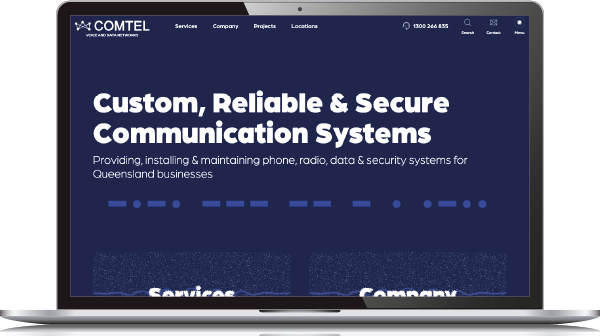
We’ve built a wide range of websites for our clients, spanning many industries and helping to reach a wide variety of business goals. Over time, our web design team has created many microinteractive features – shifting text, animated buttons, sliding and shape-shifting elements, and much more. You can explore some of our work across these sites:

Great web design is won and lost in the smaller details.

Strategic microinteractions transform a static, unresponsive website into a living, breathing exchange. Here you find the difference between a user interface that simply works, and a user experience that truly delights. CoBright’s team of specialist web designers and content writers offer the expertise required to build a website that makes a difference.

Want to make your website better but not sure how?

Let’s chat – our experienced team is ready to help your business grow.


Website DevelopmentContact Us